
Book a Consultation
Managed Cyber Security

Managed Cyber Security Services

Strengthen resilience with managed cyber security and practical support for modern organisations.

Cyber Security

Reduce risk across office, cloud and remote environments

Intuity helps businesses improve visibility, strengthen protection and simplify cyber security management across users, devices, networks and cloud services.

Network Security Audit

Discover hidden cyber risks and validate network performance from office to cloud.

Our network security audit helps clients understand their current and future security risk, including application vulnerabilities, malware and botnet activity, phishing threats and devices that may be at risk of a breach. Penetration testing can also be used to assess and validate devices exposed to the open internet.

Analyst reviewing cyber security dashboards and network traffic

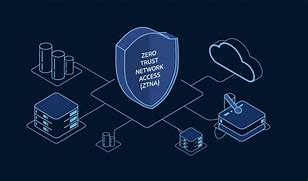
Zero Trust Network Access (ZTNA)

Continuous authentication inside or outside the network.

We help companies plan and implement a zero trust security framework so that users’ security posture is continuously authenticated, authorised and validated before being granted access to networks, applications and data.

Secure login and identity verification on a business device

Cloud Security

Treat your public cloud as if it’s another office.

By implementing best practice cyber security policies, controls and technologies, Intuity helps secure applications, data and infrastructure in cloud environments. Standardising firewall vendors and policies across physical and cloud locations can materially improve protection, reporting, management and user experience.

Cloud and digital infrastructure representing secure cloud services

Firewall Services

Protecting your office and data centre.

Firewalls are no longer just a perimeter tool for office or data centre environments. Hybrid working means they must now be part of a wider security fabric protecting users wherever they are and on whatever device they use.

Intuity deploys and manages next generation firewalls with capabilities such as antivirus, anti-malware, intrusion prevention, VPN, web, video and DNS filtering, data loss prevention and application control.

Cyber threat monitoring screen representing firewall protection

Network and Wi-Fi Security

Extending your security policies across all layers of network access.

The LAN remains one of the largest attack surfaces in a company’s network. By deploying a single vendor approach for network, Wi-Fi and firewall, Intuity helps ensure consistent standards, simpler management and stronger protection across every point of access.

Secure office wireless and networking environment

Reporting, Analytics and Alerting

Gain insights into cyber events.

With visibility across IT and OT infrastructure, Intuity managed services help eliminate bottlenecks and strengthen defences. Historical and real-time insight improves visibility of risk exposure, informs the cyber security roadmap and supports faster response to threats.

Business analytics dashboard for cyber reporting and alerting

Secure SD-WAN

Agile and secure network optimisation.

With more applications hosted in the cloud, businesses need to optimise and secure traffic between users, offices and cloud services. Secure SD-WAN helps optimise key applications, balance traffic across internet connections and provide secure site-to-site connectivity.

Global network connections representing secure SD-WAN
Deep-dive guide

What managed cyber security solves for growing organisations

Cyber security becomes harder to manage as users, devices, cloud services and remote access grow. A joined-up security approach helps reduce blind spots and gives the business clearer control.

The bigger picture

Security gaps often appear between users, networks, cloud services and support processes

Many businesses have strong individual tools but weak visibility across the full environment. Firewalls, Microsoft 365, endpoints, Wi-Fi, VPN access, mobiles and cloud apps may all be managed separately.

Managed cyber security helps bring these areas together so risk can be reviewed, protection can be improved and changes can be managed more clearly.

  • Better visibility of users, devices and threats.
  • Stronger control across office, cloud and remote environments.
  • More practical reporting for business and IT teams.

Find the risk

Review users, devices, cloud services, firewall rules, Wi-Fi, remote access and exposed systems.

Prioritise controls

Focus first on the security improvements that reduce the most practical business risk.

Protect users

Improve access control, filtering, endpoint protection, identity and remote working security.

Keep improving

Use reporting, alerts and service reviews to improve security over time.

Identity and access

Reduce the chance of unauthorised access with better authentication, permissions and access policies.

Network protection

Use firewalls, Wi-Fi security, segmentation and secure SD-WAN to protect traffic and devices.

Cloud security

Apply consistent policies across cloud services, remote users and business applications.

Business impact

Better cyber security improves resilience, confidence and control

Cyber security should protect users without making the business harder to run. Intuity helps organisations build practical protection that fits around daily operations.

For users Safer access to systems, cloud applications and remote services.
For managers Clearer reporting on risk, controls and security activity.
For IT teams Better visibility across firewalls, networks, endpoints and cloud tools.
For the business Improved resilience against disruption, compromise and data loss.
How it fits together

Cyber security architecture across users, networks and cloud services

A strong cyber security model protects the full journey from user access through to network security, cloud applications, reporting and response.

Protection needs to work across every route into the business

Users may connect from the office, home, mobile networks or public internet connections. They may use Microsoft 365, cloud services, voice platforms, business applications and shared data.

Security needs to cover identity, endpoint devices, networks, firewalls, Wi-Fi, cloud services, alerts and support processes. When these layers are aligned, it becomes easier to detect risk, protect users and respond quickly.

Users and devices

Identity, endpoints, mobiles and remote access.

Network control

Firewall, Wi-Fi, segmentation and secure SD-WAN.

Cloud and insight

Cloud security, alerts, reporting and response.

Cloud and digital infrastructure supporting cyber security services
Our process

A clear process for improving cyber security

We help move from review and discovery into practical improvements, management and service review.

Review

Assess users, devices, firewall rules, cloud services, remote access, Wi-Fi and known risks.

Prioritise

Agree which controls should be improved first based on risk, budget and operational impact.

Implement

Deploy or improve security controls across networks, endpoints, cloud services and user access.

Manage

Support reporting, alerts, changes, service reviews and ongoing improvement.

Real-world scenarios

Common cyber security projects Intuity can help plan

Cyber security projects often start with a known risk, a recent incident, an audit finding or a need to improve protection across a changing business.

Business reviewing firewall and network security after growth

A growing business may have added users, sites, cloud systems and remote workers without reviewing firewall rules, Wi-Fi access or segmentation.

  • Firewall rules and exposed services reviewed.
  • Network and Wi-Fi security assessed.
  • Improvement plan created.
Remote workforce needing stronger access controls

Remote and hybrid users need secure access without making daily work difficult. Intuity can review authentication, device posture and cloud access.

  • Remote access policies reviewed.
  • MFA and conditional access considered.
  • User impact and support needs planned.
Microsoft 365 environment needing better protection

Microsoft 365 is often business-critical, so permissions, authentication, email protection and reporting should be reviewed regularly.

  • User access and admin roles checked.
  • Email and phishing risks reviewed.
  • Security reporting improved.
Business preparing for cyber insurance or customer due diligence

Customers and insurers often expect clearer evidence of security controls. Intuity can help identify gaps and document practical improvements.

  • Existing controls reviewed.
  • Security gaps prioritised.
  • Evidence and next steps prepared.
Multiple sites needing consistent security standards

Businesses with several locations may have different firewalls, Wi-Fi settings and security standards. A more consistent model can simplify management.

  • Site standards reviewed.
  • Firewall, Wi-Fi and reporting approach aligned.
  • Future change process agreed.
Security alerts and reporting not giving enough clarity

Some businesses have alerts but no clear view of which risks matter most. Intuity can help improve reporting and make security information more useful.

  • Current reports and alerts reviewed.
  • Useful business reporting agreed.
  • Review process created.
Provider comparison

Compare cyber security support approaches

The right partner should understand cyber risk, networks, cloud services, users, communications, connectivity and ongoing support.

Licence-only sellers

May provide security software or licences, but may not review the wider environment, user behaviour, network readiness or support process in enough detail.

Network-only providers

May understand firewalls and connectivity, but may not always align cyber security with Microsoft 365, endpoint protection, users and cloud applications.

IT-only support

May support users and devices, but may not always provide detailed firewall, network security, SD-WAN, Wi-Fi security and reporting experience.

Intuity

Helps align cyber security with networks, connectivity, Microsoft 365, users, cloud services, communications and ongoing support.

FAQs

Cyber security questions

What does Intuity include in managed cyber security?

Intuity supports organisations with network security audits, zero trust network access, cloud security, firewall services, network and Wi-Fi security, reporting and secure SD-WAN.

Can Intuity help secure cloud and remote users?

Yes. Intuity helps improve visibility and protection across office, cloud and remote environments.

Does Intuity provide firewall support?

Yes. Intuity deploys and manages next generation firewalls and supports wider network security controls.

Can Intuity help with cyber reporting?

Yes. Intuity helps improve reporting, analytics and alerting so risks and events are easier to understand.

Can cyber security support Microsoft 365?

Yes. Microsoft 365 security should be reviewed alongside identity, email protection, access policies, admin permissions and reporting.

Does cyber security depend on the network?

Yes. Firewalls, Wi-Fi, switching, remote access and connectivity can all affect how well cyber security controls work.

Practical cyber security support that fits around your business

Cyber security works best when it is clear, joined-up and manageable. Intuity helps organisations understand their risks, put sensible protections in place and keep users, systems and communications better protected over time.

Security-led advice

We explain risks and options in plain English, helping you focus on the controls that will make the biggest practical difference.

Joined-up technology

We help align cyber security with your connectivity, Microsoft 365, communications, devices, users and wider IT environment.

Layered protection

We support a layered approach across users, endpoints, networks, email, cloud applications and business-critical systems.

Support after deployment

We stay involved after implementation, helping you review, improve and adapt your security as threats and business needs change.

Ready to review your cyber security setup?

Speak to Intuity about your current risks, security gaps, Microsoft 365 protection, endpoint security, network security or wider cyber security requirements. We will help you identify practical improvements and agree the right next steps.